



The Coronavirus Pandemic has caused school closures around the world. During this challenging time, we hear encouraging and touching stories every day from our communities about creative ideas that educators have to inspire, engage and guide learners. Many schools use a combination of asynchronous teacher guidance and resource sharing, with synchronous online lessons to meet students’ evolving needs.
The Stream and Resources feature in AtlasNext has always been a great place for asynchronous teaching when combined with classroom time. Now, we are happy to share that we have just added the Online Lessons feature so that teachers and students can switch between different learning modes seamlessly.
Teachers can access Online Lessons either from their calendar or from the Stream and Resources in each unit.
 To add an Online Lesson, teachers will provide a start and end time of the lesson, and a brief description to provide students with the background and expectations of the lesson. Teachers are free to choose whatever platform they are most comfortable with to conduct the online lesson. They simply copy and paste the URL of the Online Lesson meeting location. If Zoom is used, the URL will be automatically generated.
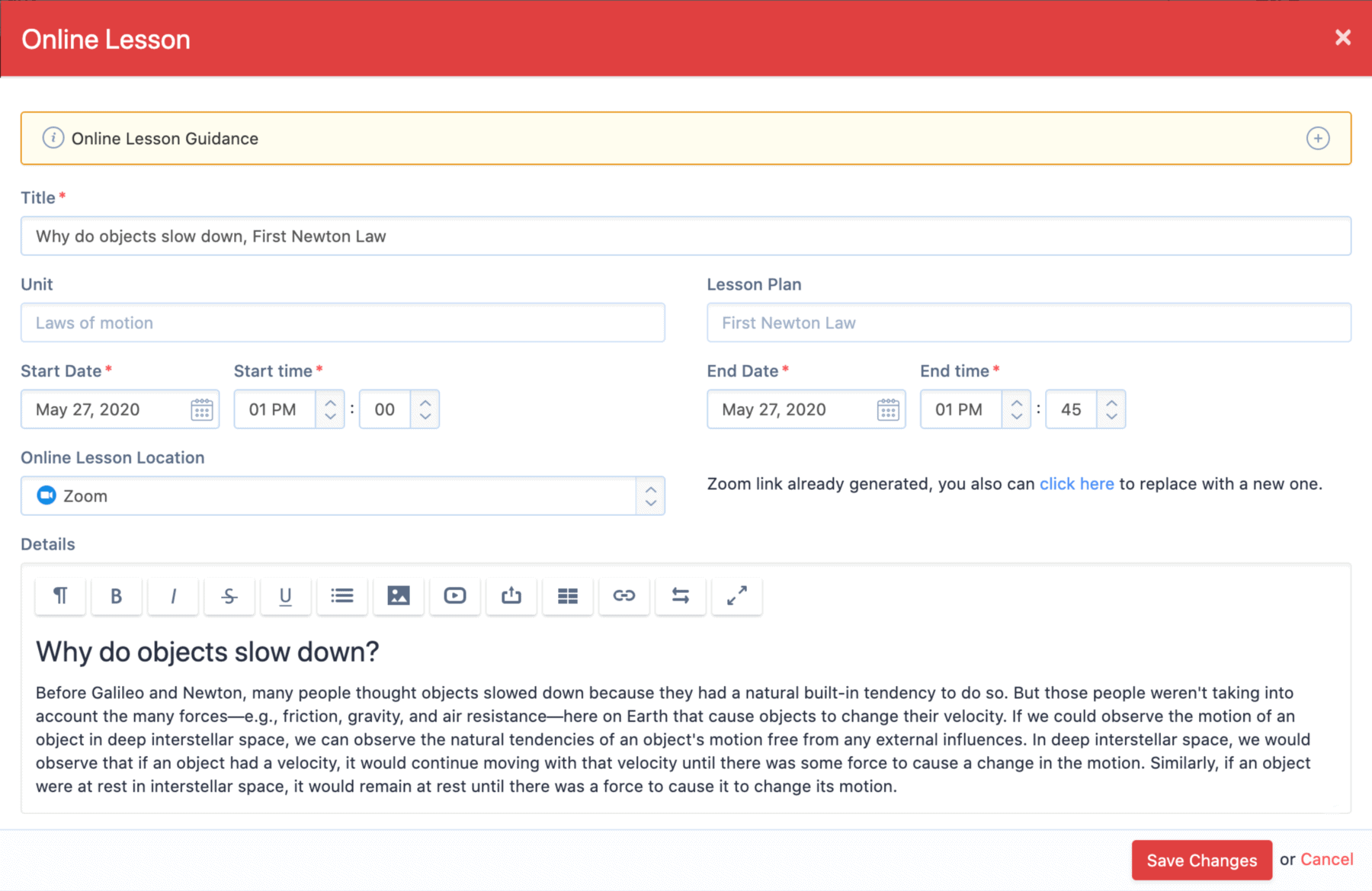 With this Online Lessons feature, we aim to provide teachers, students and parents with a centralized calendar where assignments, tasks and online lesson locations for all classes can be accessed.
Save teachers' time by making Zoom meeting link generation effortless.
Keep the evidence of asynchronous and synchronous learning activities in one place, associated with the written curriculum of the unit to provide educators an opportunity to reflect and adjust strategies as needed.
Share how you are supporting students and staff.
We want to hear from you on what you are doing during the COVID-19 epidemic to keep student learning on track and supporting parents and teachers during this shift to virtual learning. Email us with your tips, ideas and stories to [email protected]!
If you want to learn how AtlasNext can support your online classroom & remote learning, schedule a demo: