


.png)
We’re excited to share the latest Atlas updates, designed to make curriculum management easier and more effective than ever. In 2025, we’ve made great strides with features that help educators plan confidently, align courses seamlessly, and analyze learning across the year. These enhancements put valuable insights at your fingertips!
 Unit Overview with Unit Comparison
We introduce the new Unit Overview Report, now refreshed to be even more powerful and practical. You’ll still see your curriculum at a glance, but now with enhanced features like comparison tools and usage analytics, all designed to help you stay on top of pacing, coverage, and curriculum consistency.
Teachers and administrators can now gain smarter insights into how instruction is unfolding across the year, making it easier to plan effectively, spot gaps early, and make informed decisions that strengthen learning outcomes.
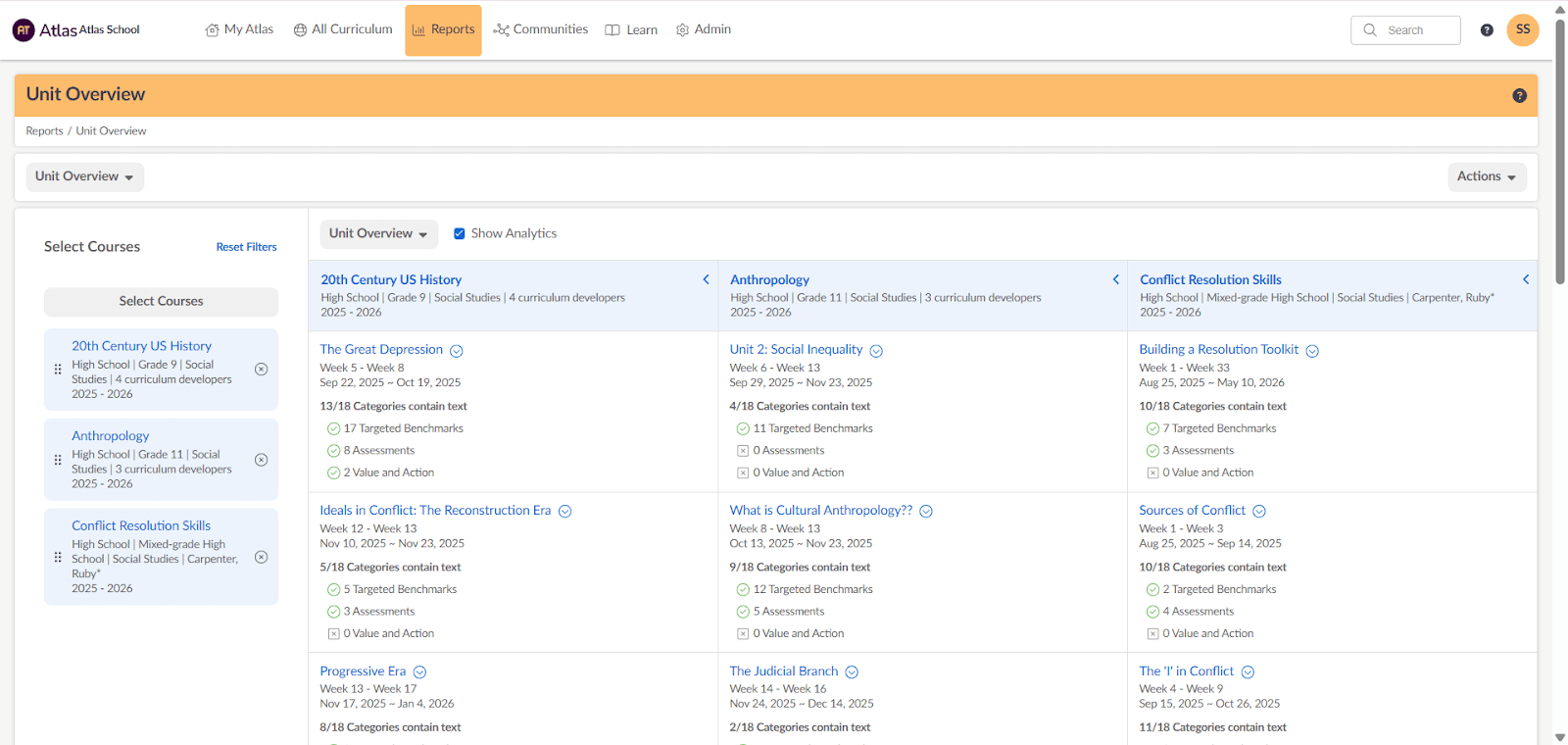
One of the biggest highlights is the new Unit Comparison feature, which lets you select multiple units and view them side by side. With key details aligned in one place, comparing pacing, content, and structure across units has never been simpler.
No more flipping back and forth between reports. This streamlined view saves time and helps curriculum leaders and teachers quickly identify patterns, gaps, and alignment across courses. Curriculum Developers can edit units directly from the Unit Comparison to streamline changes and efficiently review and adjust the curriculum. With these updates, the Unit Overview Report is your go-to tool for creating structured, well-planned curriculum.
 Standards and Assessments Reports
Another powerful enhancement is Standards and Assessments Analysis, designed to help schools better understand and communicate how their curriculum aligns to standards.
With a more intuitive interface, interactive reports, and advanced filtering options, educators and leaders can explore standards alignment and assessment coverage across units, lessons, courses, and the entire school. Dynamic views and clickable data points make it easy to move from high-level trends to detailed insights, helping teams quickly identify gaps, overlaps, and areas of strength.
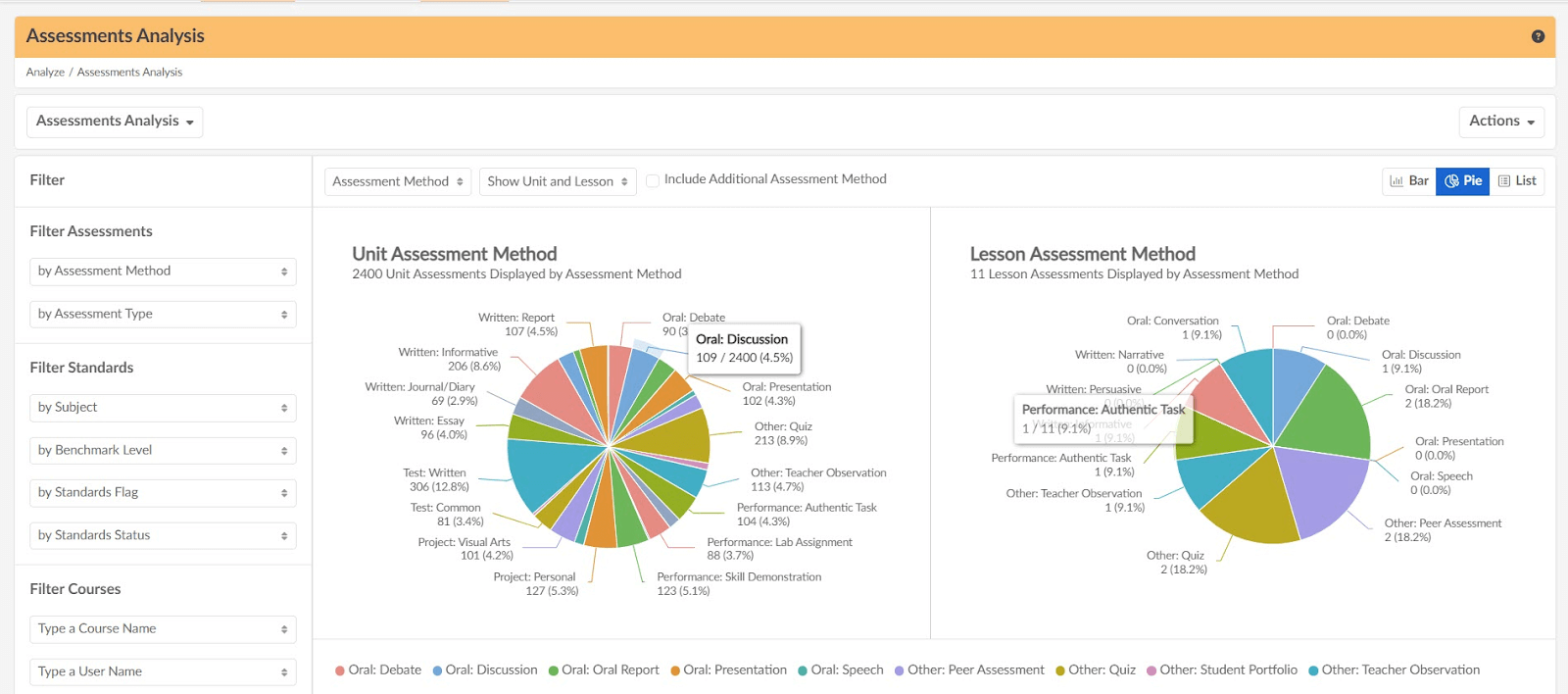
These improvements support accreditation readiness, streamline reporting, and empower data-driven conversations that lead to meaningful instructional improvement.
Weekly Lesson Submission Report and Enhanced My Lessons Views
Recently, we also introduced a set of updates designed to make lesson oversight and navigation more efficient. At the center of this release was the Weekly Lesson Submission Report, a tool that provided a clear, consolidated snapshot of all lesson submissions for the week.
The report offers Lesson Managers an at-a-glance view of every submission, organized by status, Reviewed, Pending, or Created, making it easier to monitor progress and follow up where needed.
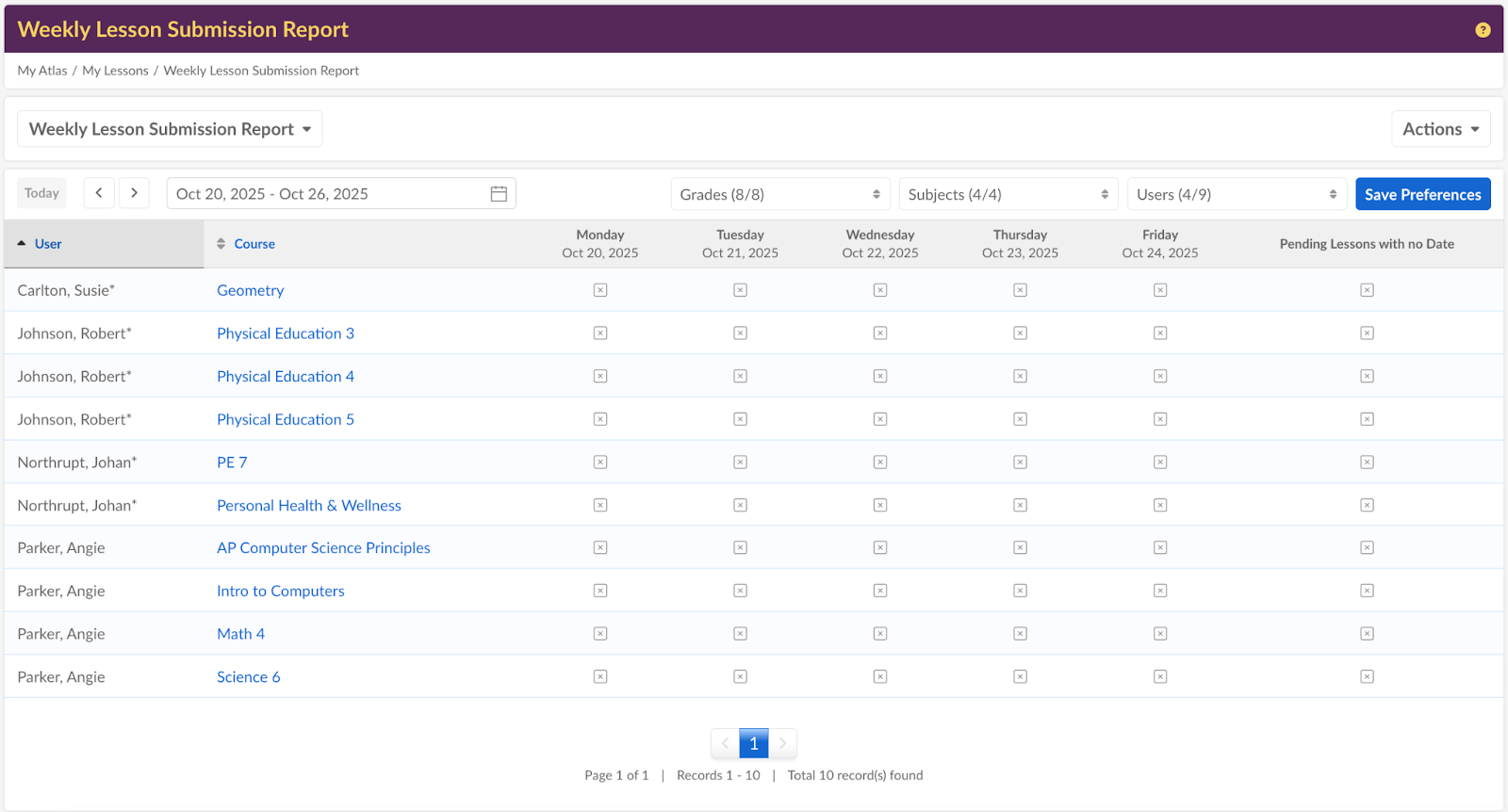
Together, these enhancements provide a more organized and actionable way for Lesson Managers to stay on top of their weekly workflow and keep instruction moving forward with clarity and confidence.
 Other Updates
Quickly Add Lesson Collaborators
Add all Curriculum Developers and Teachers as Lesson Editors with just one click. Instantly keep access in sync as course assignments change with no manual updates required. System Administrators can set collaborators to be added automatically, saving time and ensuring the right people always have access.
Accessibility Updates
We rolled out behind-the-scenes accessibility upgrades to make Atlas easier to navigate, view, and use for everyone. Improvements like enhanced keyboard navigation, stronger color contrast, and better screen reader support helped make Atlas more inclusive, without changing the experience users already enjoy.
Streamlined Course Management from the Unit Calendar
We made course management faster and easier by streamlining it directly from the Unit Calendar. System Admins can add or remove teachers without leaving the calendar view, making updates in just a few clicks. This improvement keeps course assignments accurate across the site while saving time and reducing manual effort.
Faria Branding Refresh
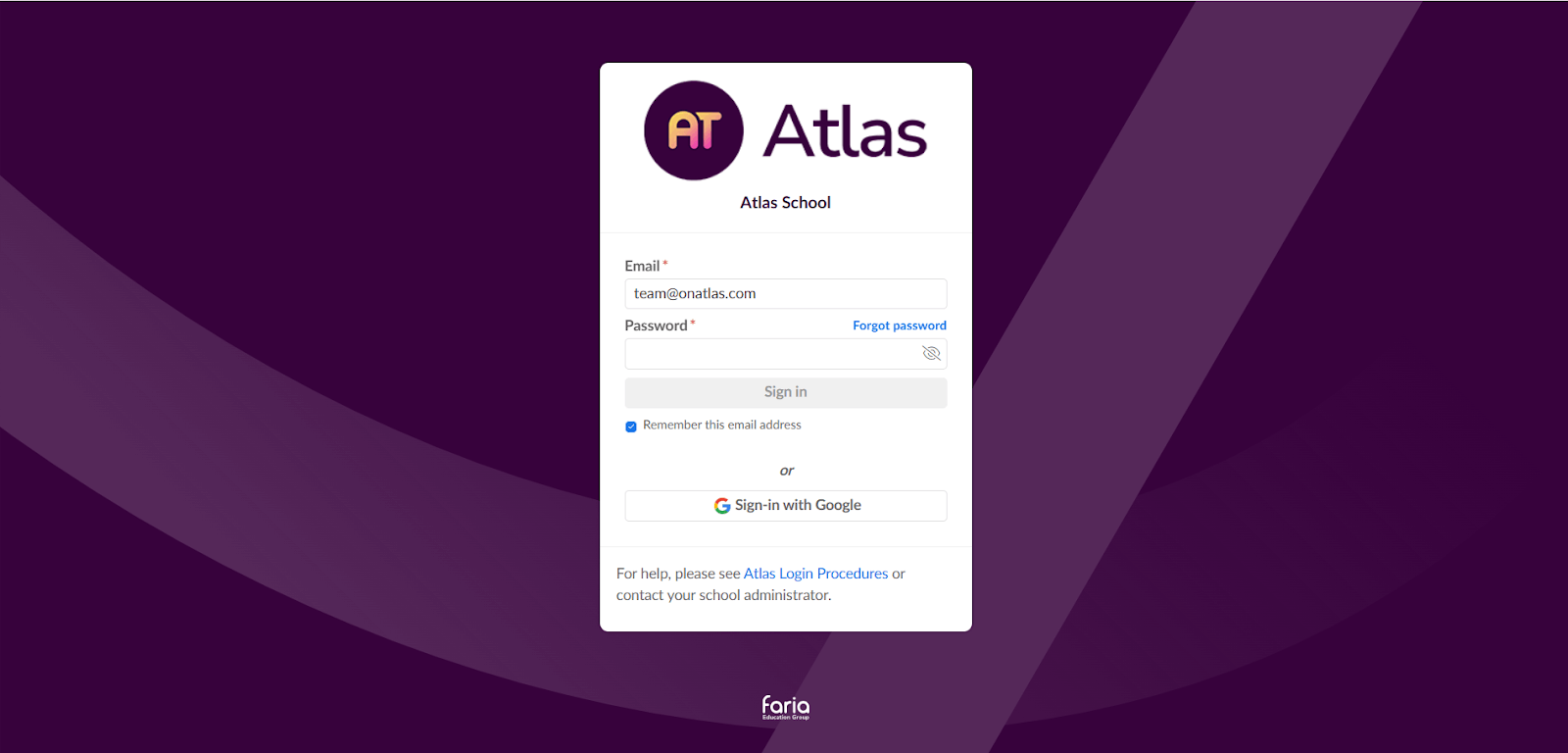
Atlas now features a refreshed look with Faria branding. The new login page provides a welcoming and consistent experience from the very first click. Key visual elements have been updated across the platform, giving a unified, fresh look. Schools will maintain their existing color schemes, ensuring familiarity while benefiting from the modern design.
To learn more about any of these features, whether you are an Atlas user or not, book a free demo with a member of our team.